Tap on the Settings app. When the Settings app loads, you will be at the General Settings category.
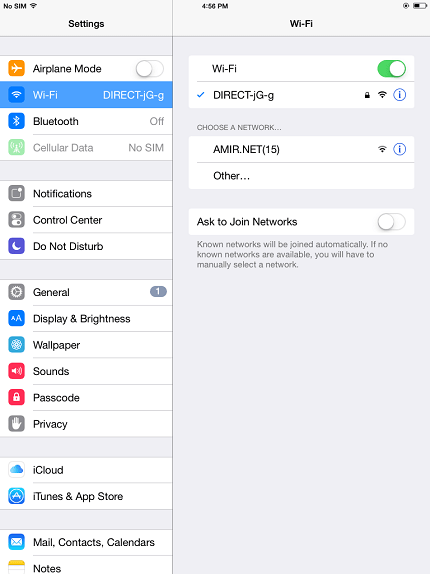
Tap on the Wi-Fi settings category and you will be at a screen as shown below.
Tap on the "icon" next to the Wi-Fi network to access the specific settings of the wireless connection.
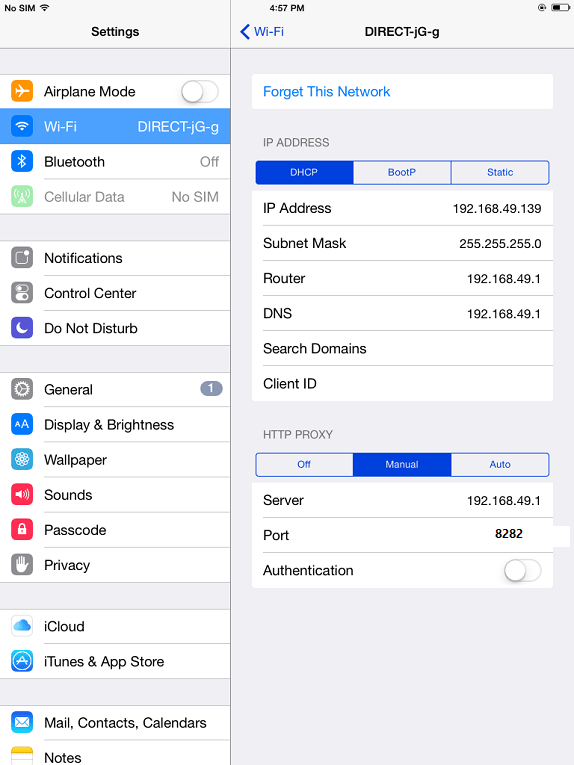
Tap on the Manual button and fill in the fields under HTTP Proxy as follows:
Server : 192.168.49.1
Port : 8282
When you are done setting up your proxy server, tap on the Wi-Fi Networks button and then go back to your Home screen to start enjoing the internet access.