en
عربي
-
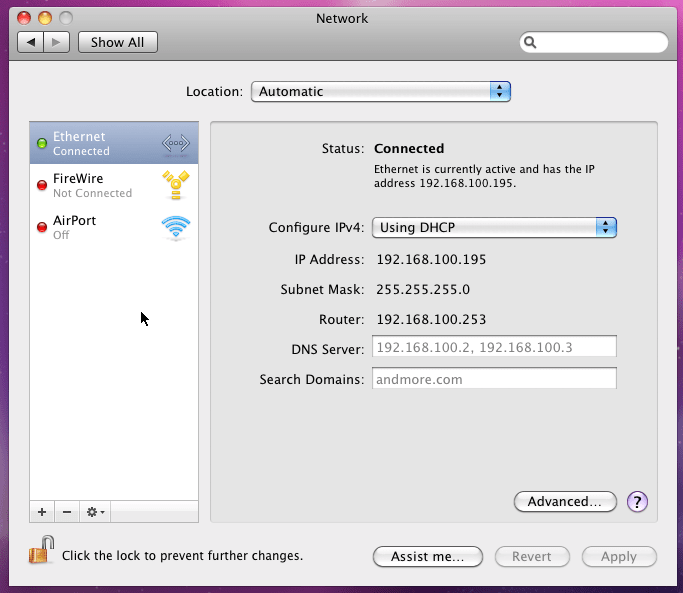
Go to "System Preferences" -> "Network". You'll get a screen similar to the following one:
-
On the left, select "AirPort".
-
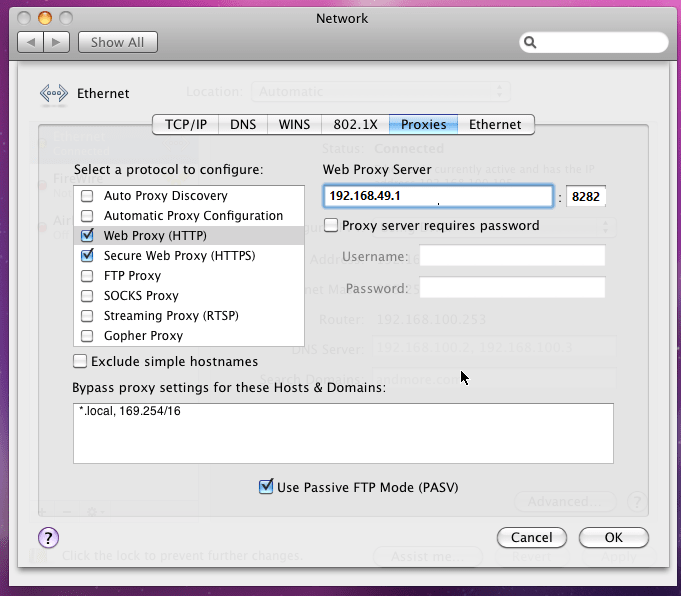
Click on "Advanced...", then click the "Proxies" header.
-
Check the box for "Web Proxy (HTTP)" and enter "192.168.49.1", and "8282".
-
Do the same for "Secure Web Proxy (HTTPS)".
-
Click "OK" to save and close the proxy settings, then click "Apply" to save and close the Network properties.